A free WYSIWYG Markdown editor for macOS.
Yeogi .MD Editor is a free, open-source Markdown editor for macOS. Rendered + editable WYSIWYG. Side-by-side panes. Real folder tree. Multiple folders open at once. Drag-reorder tabs. Right-click that actually works.
Built for people who write a lot of Markdown
WYSIWYG that's actually editable
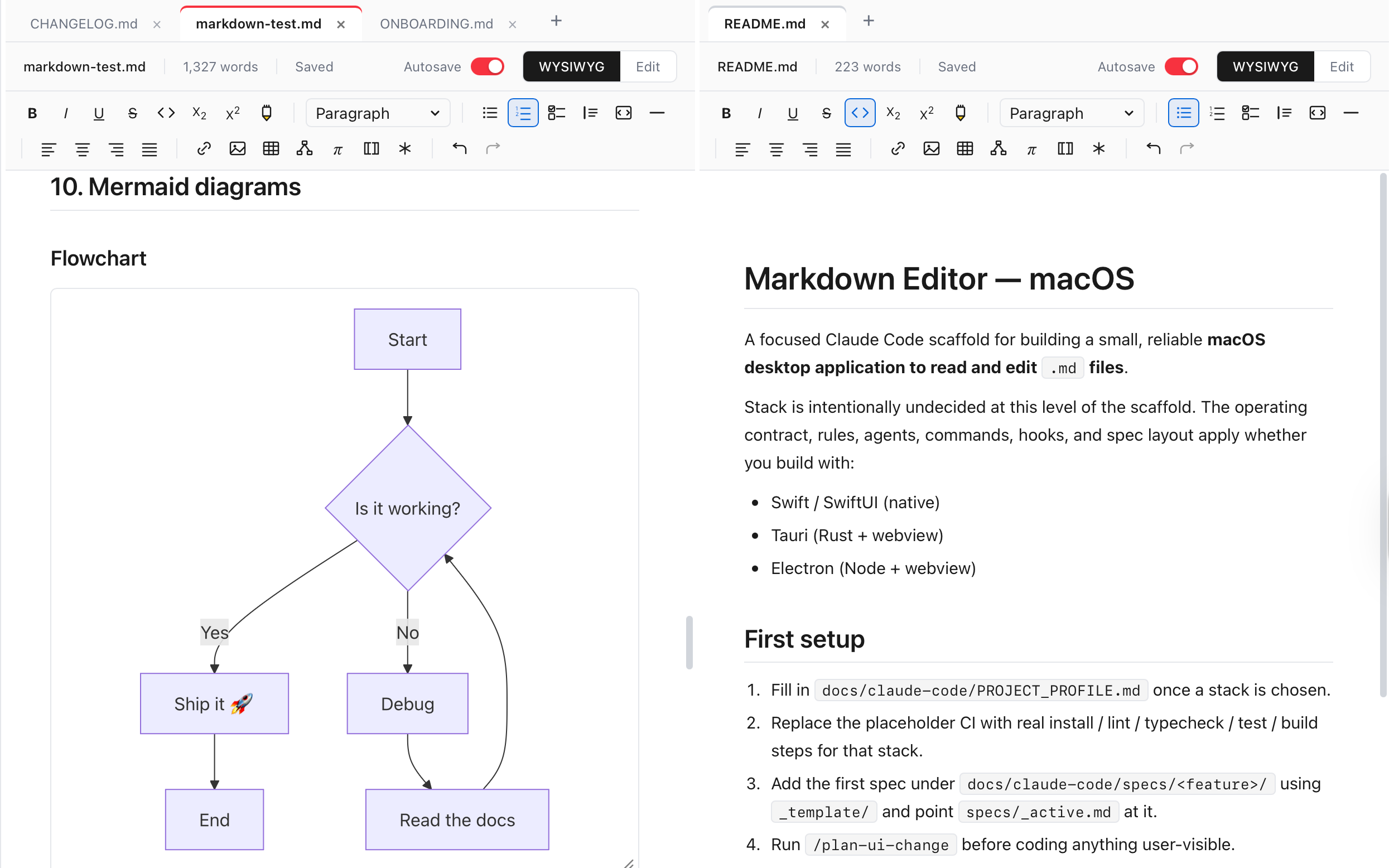
Tables are tables, headings are heading-sized, code blocks are syntax-highlighted — and you can put your cursor in the middle of any of them and just type. ⌘E flips to source mode whenever you want to see the actual Markdown.
WYSIWYG ⇄ Edit, with autosave
A visible toggle in the toolbar flips between rendered WYSIWYG and the raw Markdown source on the same buffer — keyboard ⌘E does the same thing. Autosave is per-document, so you can leave it on for the draft and off for the file you're just auditing.
Document outline
A live outline of every heading in the open document, indented by depth (H1 → H6), pinned to the side. Click any entry to jump straight to that section; collapse the panel when you don't need it.
Side-by-side panes
Open two documents side by side, or the same doc in WYSIWYG + source mode at the same time. Each pane has its own toggle. ⌘\ opens a tab in the other pane.
Multi-folder explorer
Open up to five folders at once — work notes, personal notes, a reference vault, all in one explorer. Per-folder collapse so you only pay for the ones you're using.
Chrome-style drag-reorder tabs
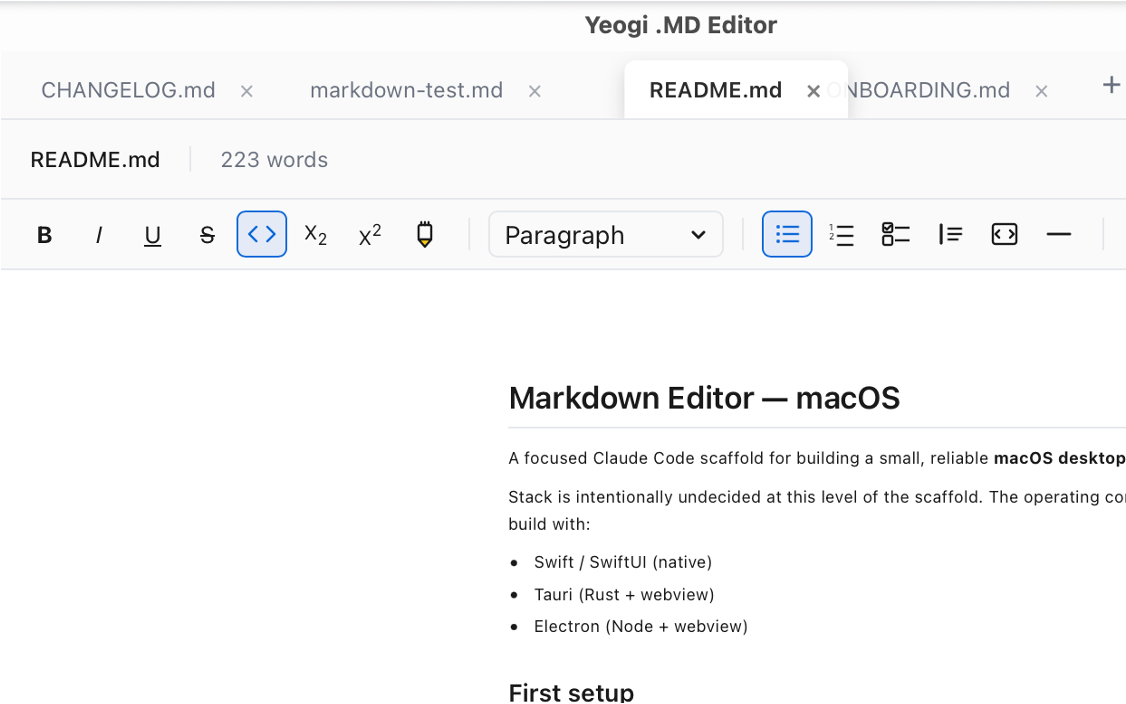
Drag tabs to reorder them within a pane. Live visual feedback — the dragged tab follows your cursor, others slide aside. Works with pointer events, not flaky HTML5 drag-and-drop.
Right-click that does real work
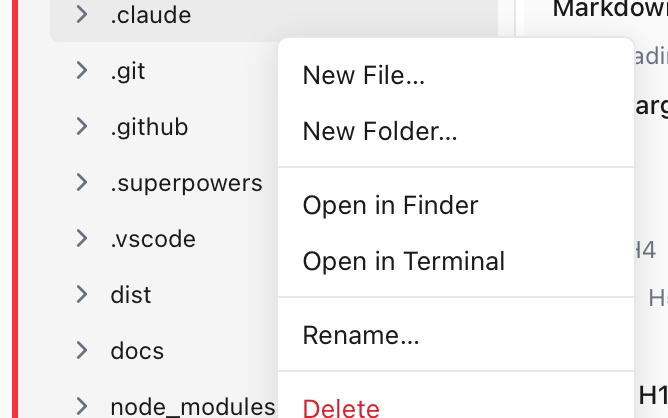
New File · New Folder · Open in Finder · Open in Terminal · Rename · Duplicate · Delete with descendant-count confirmation · Reload from disk. On files, folders, and folder-group headers.
Auto-updating
Signed with an Apple Developer ID, notarized by Apple, and delivered through Tauri's signed auto-updater. Open the app; if there's a new version, it offers to install. No re-download ritual.
Plus the obvious things
- Wiki-links (
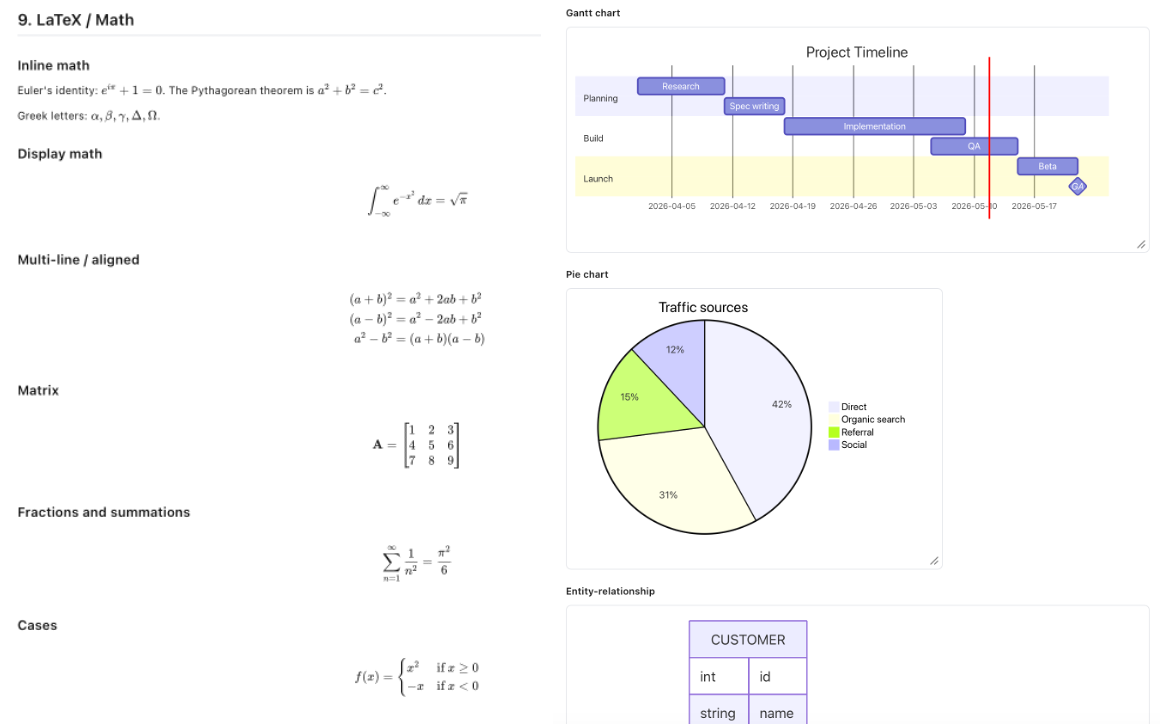
[[Note Name]]) with auto-create + backlinks - Inline math (KaTeX), tables, footnotes, definition lists, task lists
- Mermaid diagrams (flowchart, sequence, state, gantt, quadrant, ER, …) — with a render-only preprocessor that fixes the common ways LLMs produce broken Mermaid syntax
- 10 themes (Light, Dark, GitHub, Dracula, Nord, Tokyo Night, …) — each with a matching Shiki code-block palette
- Native menu bar with Open Recent, Find & Replace, Zoom, Themes
- Print / Export to PDF · Export to HTML
- File watcher — external changes show up live, conflict banner for unsaved-edit collisions
- Session restore — tabs, panes, focus all come back on relaunch
How it compares
If you've outgrown Typora, looked at Obsidian but wanted real inline WYSIWYG, tried Bear but missed the folder tree, or like iA Writer's polish but want something free and open source — Yeogi was built for the gap.
| Yeogi .MD Editor | Typora | Obsidian | Bear | iA Writer | |
|---|---|---|---|---|---|
| Price | Free | $14.99 | Free / paid for commercial use | Free + $14.99 / yr Pro | $29.99 |
| Inline WYSIWYG editing | ✓ | ✓ | Live Preview | Styled source | Source only |
| Real folder tree | ✓ | ✗ | Vault-only | ✗ | Single folder |
| Multi-folder explorer | ✓ Up to 5 folders | ✗ | One vault at a time | ✗ | One folder at a time |
| Side-by-side panes | ✓ | ✗ | ✓ | ✗ | ✗ |
| Open source | ✓ | ✗ | ✗ | ✗ | ✗ |
Comparison reflects each app's default editor mode and standard licensing as of mid-2026. Check the vendor sites for current pricing and feature changes.
Screenshots
Frequently asked
What is Yeogi .MD Editor?
Yeogi .MD Editor is a free, open-source Markdown editor for macOS. It edits Markdown in a real WYSIWYG view, opens two documents side by side, and shows up to five folders at once in its file explorer. It is built natively for macOS with Tauri 2 (Rust + WebView), signed with an Apple Developer ID, and notarized by Apple.
Is Yeogi .MD Editor free?
Yes. Yeogi .MD Editor is free to download and use. It is open source on GitHub, has no subscription, no in-app purchases, and no ads. It does not collect telemetry; the only network call it makes is to GitHub to check for new releases.
Is Yeogi a free Typora alternative?
Yes. Yeogi covers Typora's main draw — true WYSIWYG editing of Markdown, with tables, headings, code blocks, and math rendered inline as you type — and adds a real folder tree, side-by-side document panes, drag-reorder tabs, and right-click file management. Typora costs $14.99; Yeogi is free and open source.
How is Yeogi different from Obsidian?
Obsidian shows a separate preview pane next to source-mode Markdown; Yeogi renders Markdown in place and lets you type directly into it (toggle to source mode with ⌘E whenever you want). Yeogi also opens up to five folders at once without requiring a vault structure, while Obsidian works inside one vault at a time. Both support wiki-links and backlinks.
Does Yeogi support side-by-side documents?
Yes. Yeogi opens two editor panes side by side in the same window, each with its own tab strip and its own WYSIWYG/source toggle. The keyboard shortcut ⌘\ opens the current tab in the other pane, and tabs can be dragged between panes.
What macOS versions does Yeogi support?
Yeogi runs on macOS 10.13 (High Sierra) or later. It ships as a universal binary for both Apple Silicon (M-series) and Intel Macs, downloaded as a single signed .dmg from GitHub Releases.
Is Yeogi signed and notarized by Apple?
Yes. Every release is signed with an Apple Developer ID Application certificate and notarized by Apple's notarytool service before being published. Gatekeeper accepts it on first launch without the "unidentified developer" warning, and the auto-updater verifies each new build with a Tauri minisign signature.
Does Yeogi support wiki-links, math, and Mermaid diagrams?
Yes. Yeogi supports wiki-links ([[Note Name]]) with auto-create and backlinks, inline and display math via KaTeX, and Mermaid diagrams including flowchart, sequence, state, gantt, quadrant, and ER. A render-only Mermaid preprocessor also auto-fixes the most common ways LLMs produce broken Mermaid syntax.
Why this exists
I write a lot of Markdown. Every editor I'd tried picked a handful of the features I cared about and called it a feature set. Obsidian has folders but the rendered view is half-rendered. Bear is gorgeous but no folder tree. Typora is the actual WYSIWYG editor that works, but no folder explorer, no tabs, no side-by-side. So I built one with all of them, and now I use it every day.
Yeogi is built with Tauri 2 (Rust + WebView), React, Tiptap for the WYSIWYG mode, and CodeMirror for source mode. It's free. It runs locally. It doesn't phone home, doesn't collect data, doesn't have ads, doesn't have a subscription.